Head-to-head
Kalodata vs Pipiads: sales data or ads
You have both tabs open because you want a product that will sell. The sales record and the ad library are different purchases.
The short answer
Pick Kalodata if you choose TikTok Shop stock from shop, creator and livestream sales trends and want up to 1,000 days of history; pick Pipiads if you buy media and need TikTok and Facebook ad creatives, hooks, landing pages and competitor ad tracking.
| Tool | Job | Free trial | Best for | From |
|---|---|---|---|---|
| 1. Kalodata | Product research | 7 days, no card | deep sales history | ¥7,800/mo |
| Pipiads | ad research | 500 credits, lists only | TikTok and Facebook ad creatives | Free tier |
Two tabs, two questions
You want a product that will sell, and these two names are the last ones left.
Kalodata records what shops, creators and livestreams have sold. Pipiads collects the ads running on TikTok and on Facebook, including the hook and the page each ad sends people to.
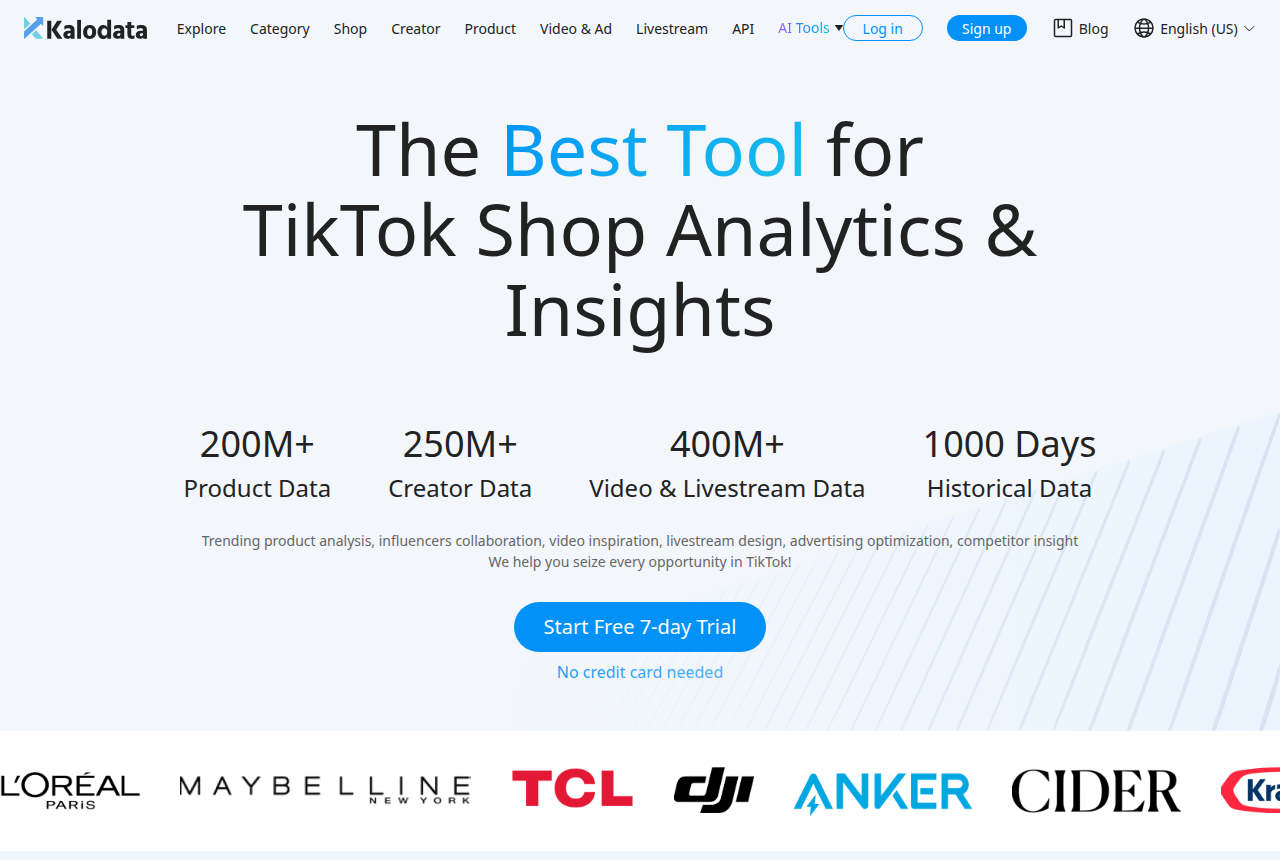
Kalodata's Chinese homepage lists more than 200 million products, 250 million creators, and 400 million videos and livestreams. It also advertises a long history. The menu has sections for products, videos and ads, and livestreams. An FAQ on that page says the data covers 15 TikTok markets. From the same homepage you can start a trial.
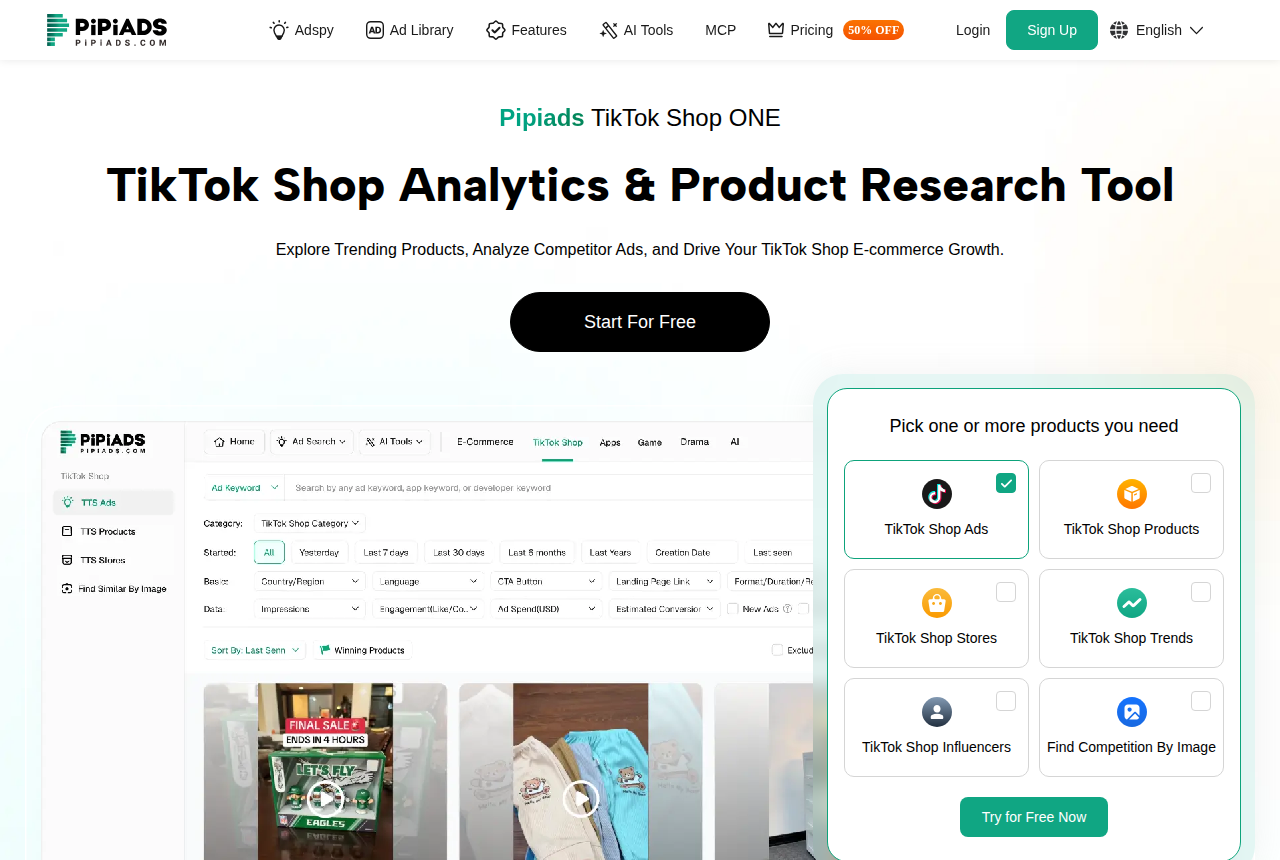
Pipiads calls itself an AI-powered ad spy and ad library for ecommerce, dropshipping and TikTok Shop. The TikTok Shop page adds products, stores, trends, influencers and image search.
See Kalodata pricing if you are choosing what to reorder. See Pipiads pricing if you are buying ads. The table under the screenshots shows what each free tier includes.
Where the products diverge
The table above lists the job, the trial and who each one suits.
This grid is the rest of the choice.
| What you compare | Kalodata | Pipiads |
|---|---|---|
| Primary job | Shop, creator and livestream sales trends | Ad creatives on TikTok and on Facebook |
| Product lists | A product section in the menu | A TikTok Shop products module |
| Facebook ads | Videos and ads in the menu | Facebook ads sit in the library |
| Livestreams | A livestream section in the menu | Ads, products, stores, trends |
| How you pay | Yen subscription | Monthly credits that reset |
| Ad tracker | The Japan plan table has no slot count | Two slots on Basic |
| Creative helpers | AI points on paid plans | The homepage calls the library AI-powered |
How a stock order uses Kalodata
A reorder needs more than one hot week.
A product page covers fewer days than the homepage advertises. Category pages are exempt from the shortest of those limits. Both limits are written out on the Kalodata pricing page linked above, next to Professional and Enterprise.
The creator total is there so you can see who is already selling the item. Sellers who compare creator figures with their own shop data often see a mismatch. Those same sellers find product-level market totals closer to their own sales statements. Kalodata's homepage says some of those figures are estimates.
Livestreams have their own section, so a shop that sells on LIVE can see broadcasts beside the product list. If broadcasts are most of the business, read Kalodata vs EchoTik before you decide. If FastMoss is the other tool you are weighing, read Kalodata vs FastMoss. Read that comparison when reaching creators matters more to you than a long sales history.
How a media buyer uses Pipiads
You already have a product, or you are looking for one inside the ads.
You can filter ads on each network, then open one and read the hook. When you have a photo, image search finds other ads that look like it. The TikTok Shop modules then show the product, the store and the influencer on that ad.
Basic includes two tracker slots, so two ads can be followed as new creatives show up. Sales totals stay with Kalodata. The TikTok Shop page says you can start with no card.
Pipiads vs Kalodata on price
Pipiads prints prices in dollars.
The Kalodata prices you can read without an account are on the Japan notice, in yen. The English pricing link goes to a sign-up form.
| Plan | Kalodata | Pipiads |
|---|---|---|
| Entry | ¥7,800 a month, or ¥5,800 yearly | $49 a month, 30,000 credits |
| Middle | Professional, see pricing page | Advanced $99 a month |
| Top published tier | Enterprise, see pricing page | Enterprise $900 a month |
| Annual Basic | The yearly yen rate in the entry row | $294 a year ($24.50 a month) |
On Pipiads, each row in a list costs one credit. Opening one ad, including its pop-up, costs 20 credits. If every credit on Basic goes to those opens, the allowance covers 1,500 of them. List rows spend the same balance, so a wide search leaves fewer ads you can open. Whatever you do not spend expires at the month's end.
The Pipiads pricing page labels an annual offer through December 31. Basic on that offer is the yearly price in the table. Monthly plans are left out of the offer. You can cancel the subscription. Pipiads does not refund a payment. During the trial you see lists, so the hook on one ad is a paid step.
Starter's yen prices come from Kalodata's Japan notice. Professional, Enterprise, and the 90-day and 180-day limits on a product page are on the pricing page linked above. The yen figures stay in yen. A dollar price quoted by another tool is left out.
Seller Center shows your own shop's sales for free. The Seller Center guide is where those screens are explained. Take a product you already sell, pull the same dates in the tool, and see if the order of products matches your statements. Kalodata's homepage says transaction amounts and ad spend can differ from actual results, and it says not to use them for commission payouts or performance reviews.
Keeping both
Some shops need both.
Use Kalodata when you are deciding what to reorder. Use Pipiads when you are choosing the ad. You still have two logins and two bills.
What a Pipiads review has to settle
People who buy ads call the library useful for a wide scan and for TikTok creatives. Buyers also complain about the price, about credits running out on a long search, and about products that saturate once many people can see the same ad.
Judge it by the lists you can see before you pay. If those lists are enough, cancel before a charge. Opening one ad costs money, so decide that before you are charged. The Pipiads review explains the credit rules.
Which tool I would start with
If the next purchase is stock, and live selling is part of how that stock moves, I would start with Kalodata. You get the history and the menus in the grid above, and you keep the estimate warning in mind.
Choose Pipiads when you already know the product and you need an ad to put in front of it.
The analytics roundup starts from your own shop figures. The plan picker asks which job you are paying for. Read how this site researches tools.
Then start the free trial on the tool you chose. See Kalodata pricing if the job is stock. See Pipiads pricing if the job is the ad.
Kalodata: what holds up and what does not
What works
- Covers products, shops, creators, videos, ads and livestreams in one account
- Homepage lists 1,000 days of historical data
- 7-day free trial with no card on the vendor's homepage
- An API for teams that want the data in their own sheets or BI tools
What to watch
- The dashboards stack charts, tables and filters on every screen, and newer sellers call that clumsy at first
- Its Trustpilot sample is small and billing comes up among the complaints, so cancel before the trial ends if it is not for you
- No affiliate or creator outreach automation: you find creators here and contact them elsewhere
- Product history on the Japanese pricing table is 90 days for Starter and 180 days for Professional and Enterprise
Pipiads: what holds up and what does not
What works
- TikTok and Facebook ad library, plus TikTok Shop ads, products, stores, trends, influencers and image search
- Basic includes two Ad Tracker slots
- The TikTok Shop page says no card is required to start
What to watch
- A long search uses the month's credits quickly, and unused credits expire when the month ends.
- Subscriptions are non-refundable, and a product many buyers can already see tends to get saturated.
Where I would start
Kalodata
Kalodata is the pick if you choose products from sales history and want the longest view of what a product, shop or creator has sold.
Kalodata vs Pipiads questions
Can one subscription cover both jobs?
Which one fits a shop that only sells on TikTok Shop?
Can I calculate a creator's commission with Kalodata?
Should I pay for Pipiads as soon as the trial ends?
What we read
From Kalodata
Related reading
- Kalodata review
- Kalodata alternatives
- Pipiads review
- Pipiads alternatives
- Kalodata vs FastMoss for TikTok Shop research
- Reacher vs Euka for TikTok Shop affiliate outreach
- Kalodata vs EchoTik: sales history or LIVE tools
- FastMoss vs EchoTik plans
- Euka vs Hubfluence for affiliates
- Reacher vs Cruva for creator outreach
- Free TikTok Shop analytics first
- Best TikTok Shop tools, ranked by job
Written by
Nora Whitfield
Editor covering seller tools and fee calculators
Nora Whitfield edits GMV Ledger's reviews, comparisons and calculators. She reads each vendor's pricing page, feature pages and help docs, then seller forums and review sites, and notes when a price or a limit should change what a seller buys. She checks fee figures against TikTok Shop's Seller University pages before they reach a calculator.
Last checked 2026-10-23
Comments
No comments yet. Questions and your own experience are welcome.
Thank you. Your comment will appear once it has been reviewed.